
How to Calculate Hours Worked
To calculate hours worked, first find the elapsed time between the start and end of the shift, then subtract any unpaid break time.
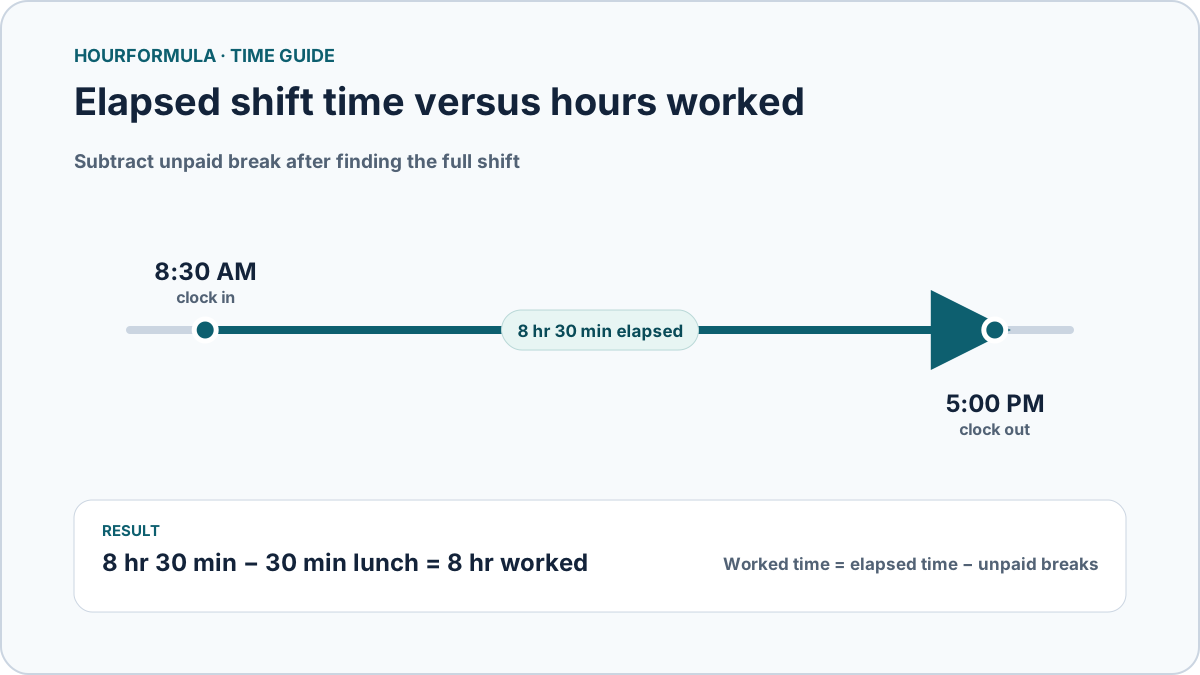
Worked time = elapsed time − unpaid breaks
For example, if you start at 8:30 AM, finish at 5:00 PM, and take a 30-minute unpaid lunch:
- 8:30 AM to 5:00 PM = 8 hours 30 minutes
- 8 hours 30 minutes − 30 minutes = 8 hours worked
The easiest way to avoid mistakes is to calculate everything in minutes first, then convert the final result back to hours and minutes or decimal hours.
 View larger image
Step 1: Find the time between clock-in and clock-out
For a normal daytime shift, subtract the start time from the end time.
Suppose you work from 9:00 AM to 5:30 PM.
From 9:00 AM to 5:00 PM is 8 hours, and the additional 30 minutes makes the elapsed time 8 hours 30 minutes.
You can also calculate this in minutes:
- 9:00 AM = 540 minutes after midnight
- 5:30 PM = 1,050 minutes after midnight
- 1,050 − 540 = 510 minutes
510 minutes is 8 hours 30 minutes.
Calculating in minutes is especially useful when the shift starts or ends at times such as 8:35 AM, 4:50 PM, or other non-round values.
Step 2: Subtract unpaid breaks
Elapsed time and worked time are not always the same.
If your shift lasts 8 hours 30 minutes but includes a 30-minute unpaid lunch:
8 hr 30 min − 30 min = 8 hr worked
If there are several unpaid breaks, add them together before subtracting them.
Example:
- Shift: 8:00 AM–5:00 PM
- Unpaid lunch: 30 minutes
- Additional unpaid break: 15 minutes
- Total elapsed time: 9 hours
- Total unpaid break time: 45 minutes
Worked time:
9 hr − 45 min = 8 hr 15 min
Only subtract time that should actually be excluded from worked time. A paid break stays inside the worked total.
Common work-hour examples
Table:
| Clock in | Clock out | Unpaid break | Hours worked |
|---|---|---|---|
| 8:00 AM | 4:00 PM | 0 min | 8 hr |
| 8:00 AM | 4:30 PM | 30 min | 8 hr |
| 8:30 AM | 5:00 PM | 30 min | 8 hr |
| 9:00 AM | 5:30 PM | 45 min | 7 hr 45 min |
| 7:45 AM | 4:15 PM | 30 min | 8 hr |
These examples show why clock-in and clock-out times alone do not always tell you the number of hours actually worked.
How to calculate an overnight shift
When the clock-out time is earlier than the clock-in time, the shift may cross midnight.
For example:
10:00 PM to 6:00 AM
Break the shift into two parts:
- 10:00 PM to midnight = 2 hours
- Midnight to 6:00 AM = 6 hours
Total:
2 + 6 = 8 hours
If the shift also contains a 30-minute unpaid break:
8 hr − 30 min = 7 hr 30 min worked
A common mistake is to subtract 10:00 from 6:00 as though both times were on the same day. For an overnight shift, the end time belongs to the following day.
Hours and minutes versus decimal hours
Work time is often displayed in either:
- hours and minutes, such as 8 hr 30 min
- decimal hours, such as 8.50 hours
These formats are not interchangeable digit for digit.
30 minutes is half of 60 minutes:
30 ÷ 60 = 0.50
Therefore:
8 hr 30 min = 8.50 decimal hours
It does not equal 8.30 decimal hours.
Table:
| Minutes | Decimal hours |
|---|---|
| 15 | 0.25 |
| 30 | 0.50 |
| 45 | 0.75 |
| 60 | 1.00 |
If you need a decimal result, total the exact minutes first and convert afterward. This avoids small rounding differences that can occur when each day is rounded separately.
How to calculate total hours for several days
For each shift, first find the elapsed time and subtract only its unpaid breaks. Once you have the worked duration for each shift, you can combine those results without mixing up clock times.
For example, consider two completed shifts:
| Day | Clock in | Clock out | Unpaid break | Worked time |
|---|---|---|---|---|
| Monday | 8:30 AM | 5:00 PM | 30 min | 8 hr |
| Tuesday | 9:15 AM | 5:45 PM | 45 min | 7 hr 45 min |
Monday is 8 hr 30 min elapsed minus 30 min, or 480 worked minutes. Tuesday is also 8 hr 30 min elapsed, but its 45-minute unpaid break leaves 465 worked minutes.
480 + 465 = 945 minutes = 15 hr 45 min
The key step on this page is getting each shift right. If you already know the worked duration for every day, the Weekly Hours Calculator can add them. If you have a full set of clock-in and clock-out rows to check, use the Time Card Calculator.
Common mistakes when calculating worked hours
Treating clock minutes as decimal digits
8 hours 45 minutes is 8.75 hours, not 8.45 hours.
Always divide the minute portion by 60 when converting to decimal hours.
Forgetting unpaid breaks
If you calculate only clock-out minus clock-in, the result is elapsed time. Subtract unpaid breaks to get worked time.
Subtracting paid breaks
A break should only reduce worked time if it is actually excluded from the time being counted.
Handling overnight shifts as same-day shifts
If a shift starts at 10:00 PM and ends at 6:00 AM, the clock-out belongs to the next day.
Rounding too early
If you are totaling several shifts, keep exact minutes during the calculation. Convert or round only after the total is complete whenever possible.
A simple way to check your answer
Your worked time should normally be no greater than the elapsed time between clock-in and clock-out.
Example:
- elapsed shift = 9 hours
- unpaid break = 30 minutes
- worked time = 8 hours 30 minutes
If you subtract an unpaid break and somehow get more than 9 hours, something in the calculation is wrong.
Likewise, if the break is longer than the entire shift, review the input rather than accepting a negative duration.
Calculate your hours automatically
For a single shift, enter the start time, end time, and unpaid break in the Work Hours Calculator. It handles normal and overnight shifts and shows the result in hours and minutes, decimal hours, and total minutes.