
How to Calculate Clock-Out Time
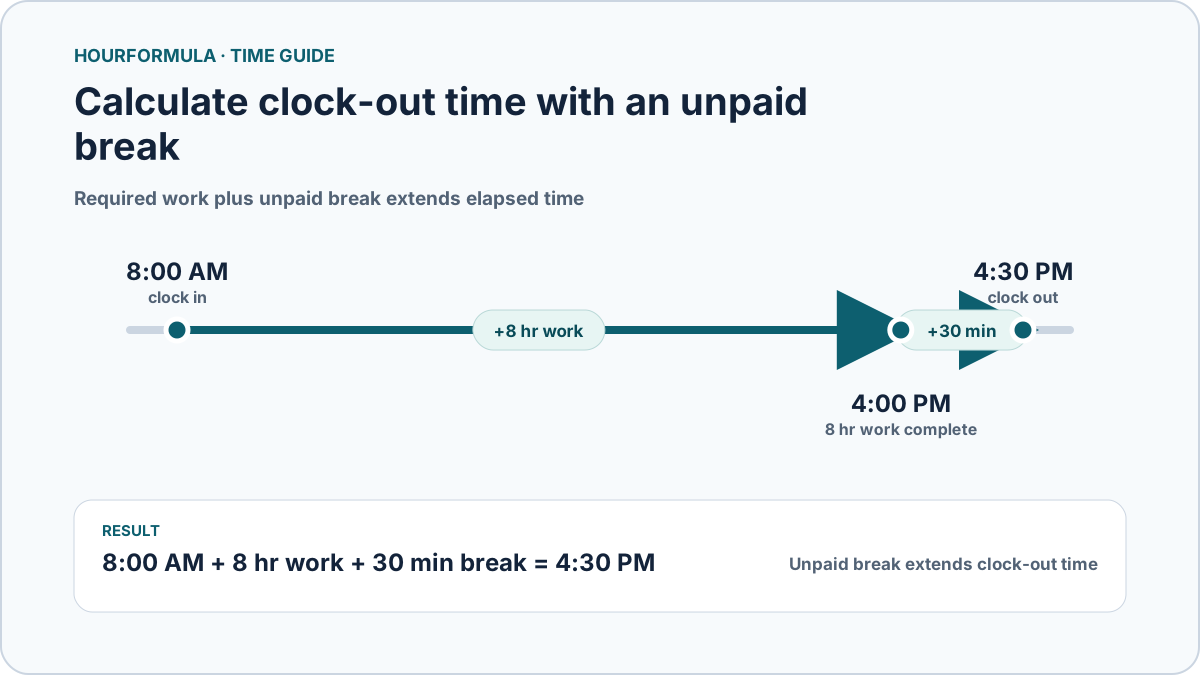
To calculate clock-out time, add the amount of paid work you still need to complete to your clock-in time, then add any unpaid break time that extends the total elapsed shift.
Clock-out time = clock-in time + required work duration + unpaid breaks
Example:
- Clock in: 8:00 AM
- Required worked time: 8 hours
- Unpaid lunch: 30 minutes
8:00 AM + 8 hours = 4:00 PM.
Add the unpaid lunch:
Clock-out time = 4:30 PM
The break extends the amount of time between clock-in and clock-out because it does not count toward the required worked duration.
 View larger image
Basic clock-out calculation
Suppose you clock in at:
7:30 AM
and need to work:
8 hours
with no unpaid break.
Add 8 hours:
7:30 AM + 8 hr = 3:30 PM
Your calculated clock-out time is 3:30 PM.
Add an unpaid lunch
Now use the same 7:30 AM start with an 8-hour work target and a 30-minute unpaid lunch.
Required worked time:
8 hr
Unpaid break:
30 min
Total elapsed time needed:
8 hr 30 min
Add that to 7:30 AM:
Clock-out time = 4:00 PM
The lunch does not reduce the amount of work required; it extends the clock-out time.
Clock-out examples
Table:
| Clock in | Required work | Unpaid break | Clock out |
|---|---|---|---|
| 8:00 AM | 8 hr | 0 min | 4:00 PM |
| 8:00 AM | 8 hr | 30 min | 4:30 PM |
| 7:30 AM | 8 hr | 30 min | 4:00 PM |
| 9:00 AM | 7 hr 30 min | 30 min | 5:00 PM |
| 2:00 PM | 8 hr | 30 min | 10:30 PM |
What if there are multiple unpaid breaks?
Add them together.
Example:
- Clock in: 8:00 AM
- Required work: 8 hr
- Unpaid lunch: 30 min
- Additional unpaid break: 15 min
Total excluded break time:
45 minutes
Elapsed time required:
8 hr 45 min
Clock-out:
4:45 PM
This assumes all 45 minutes are outside the required worked duration.
Clock-out time across midnight
Clock-out calculations can pass midnight.
Example:
- Clock in: 6:00 PM
- Required work: 8 hr
- Unpaid break: 30 min
6:00 PM + 8 hr = 2:00 AM on the next day.
Add the 30-minute break:
2:30 AM
Calculated clock-out time:
2:30 AM the next day
Midnight does not reset the duration. Continue the timeline into the following day.
Example with hours and minutes
Suppose you clock in at:
8:20 AM
and need:
7 hr 40 min of worked time
plus:
30 min unpaid lunch
Total elapsed time:
8 hr 10 min
Add that to 8:20 AM:
8:20 AM + 8 hr = 4:20 PM.
Add 10 more minutes:
4:30 PM
Calculated clock-out:
4:30 PM
Do not subtract an unpaid break from the target work duration
If you need 8 worked hours and take a 30-minute unpaid lunch, the target is not:
8 hr − 30 min
Instead, the 30-minute break is added to the elapsed span.
You still need 8 hours of worked time, so you remain clocked in for:
8 hr 30 min total elapsed time
assuming no other excluded periods.
What if the break is paid?
If a break remains part of the required worked duration, it does not extend the calculated clock-out time in this arithmetic model.
Only excluded/unpaid break time should be added separately.
Hourformula does not decide how a particular break should be classified. Use the break duration that should actually be excluded from worked time.
Common clock-out calculation mistakes
Avoid:
- subtracting an unpaid lunch from the required worked hours;
- forgetting multiple unpaid breaks;
- treating an overnight clock-out as an invalid earlier time;
- converting 30 minutes to 0.30 hours;
- mixing clock time with duration notation;
- adding a break that is already included in the work target.