
How to Calculate Business Days Between Dates
To calculate business days between two dates in Hourformula, walk through the date range and count eligible Monday-through-Friday dates.
Then remove any supported manual exclusions, such as a known weekday holiday or closure.
Business-day count = eligible weekdays in the chosen endpoint range − manually excluded eligible weekdays
The first decision is whether the start and end dates themselves should count.
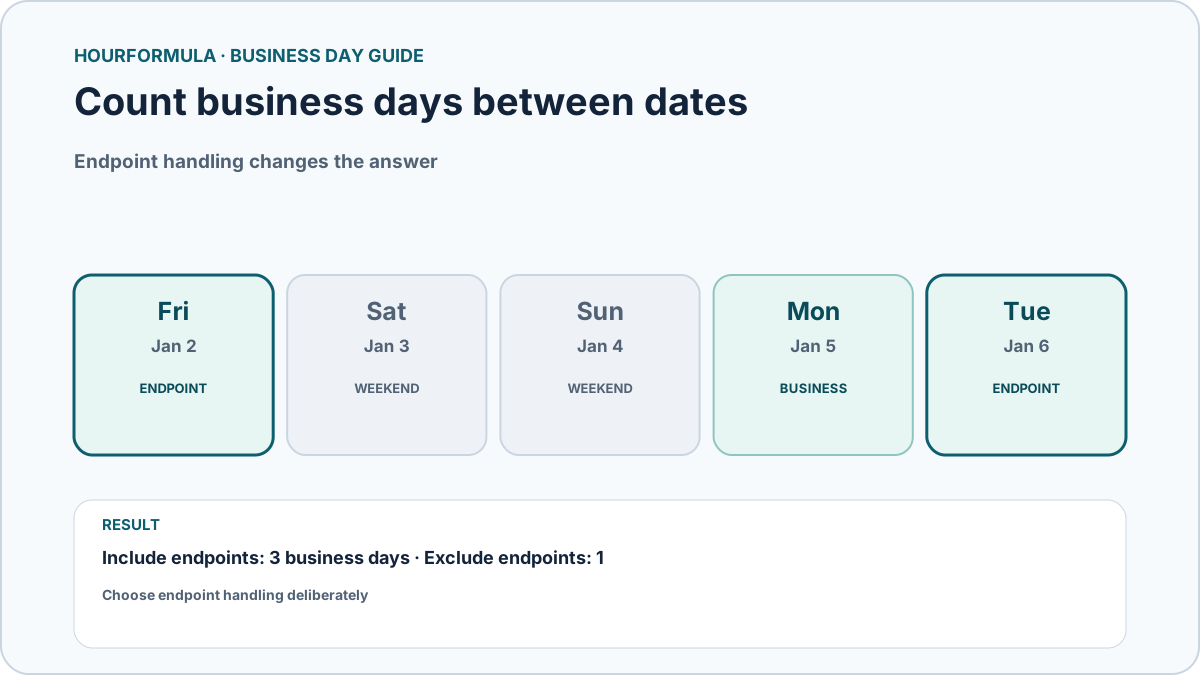 View larger image
Step 1: Choose the start and end dates
The start date must be on or before the end date.
If the dates are reversed, Hourformula treats the range as invalid rather than silently swapping them.
Using explicit dates prevents ambiguity about weekdays and makes the result reproducible.
Step 2: Decide whether to include the endpoints
Hourformula's Business Days Calculator has an Include start and end dates checkbox.
When checked, an eligible weekday at either endpoint can count.
When unchecked, both the start and end dates are excluded. Only eligible weekdays strictly between them are counted.
This endpoint rule is part of the calculation, so use the setting that matches the question you are answering.
Step 3: Skip Saturday and Sunday
Within the selected endpoint range, Hourformula counts Monday through Friday and ignores Saturday and Sunday.
A weekend still exists as a calendar date, but it contributes zero to the business-day total.
Worked example: Friday through Tuesday
Use Friday, January 2, 2026 as the start and Tuesday, January 6, 2026 as the end.
| Date | Day | Eligible weekday? |
|---|---|---|
| Jan 2 | Friday | Yes |
| Jan 3 | Saturday | No |
| Jan 4 | Sunday | No |
| Jan 5 | Monday | Yes |
| Jan 6 | Tuesday | Yes |
With Include start and end dates checked, the result is:
3 business days
With the option unchecked, Friday and Tuesday are both removed. Only Monday remains eligible:
1 business day
Step 4: Apply manual exclusions when needed
The calculator accepts comma-separated excluded dates.
If Monday, January 5, 2026 is entered as an excluded date, it no longer contributes to the count.
For the same Friday-to-Tuesday inclusive range:
Friday + Monday + Tuesday = 3 eligible weekdays
3 − excluded Monday = 2 business days
If an excluded date falls on Saturday or Sunday, it has no additional effect because that date was already ineligible.
Inclusive and exclusive examples
| Range | Endpoint setting | Manual exclusions | Business days |
|---|---|---|---|
| Fri Jan 2 → Tue Jan 6, 2026 | Include both | None | 3 |
| Fri Jan 2 → Tue Jan 6, 2026 | Exclude both | None | 1 |
| Fri Jan 2 → Tue Jan 6, 2026 | Include both | Mon Jan 5 | 2 |
| Sat Jan 3 → Sun Jan 4, 2026 | Include both | None | 0 |
What the calculator does not infer
Hourformula does not automatically determine public holidays, local closures, bank holidays, employer schedules, or jurisdiction-specific business-day rules.
The result follows the inputs you provide: date range, endpoint setting, Monday-through-Friday weekday model, and manual exclusions.
Common mistakes
- forgetting to define whether endpoints count;
- assuming weekends disappear from calendar-day calculations as well;
- expecting the calculator to know holidays automatically;
- entering a reversed date range and expecting it to be reordered;
- treating an excluded weekend date as if it should reduce the count again.