
Business Days vs Calendar Days
Calendar days include every date. Business days include only dates that meet the selected business-day rule.
Hourformula uses a simple default model: Monday through Friday count; Saturday and Sunday do not. Supported calculators can also skip dates you manually exclude.
Calendar days = every date in the range
Hourformula business days = eligible Monday–Friday dates in the range, minus manual exclusions
 View larger image
The difference in one example
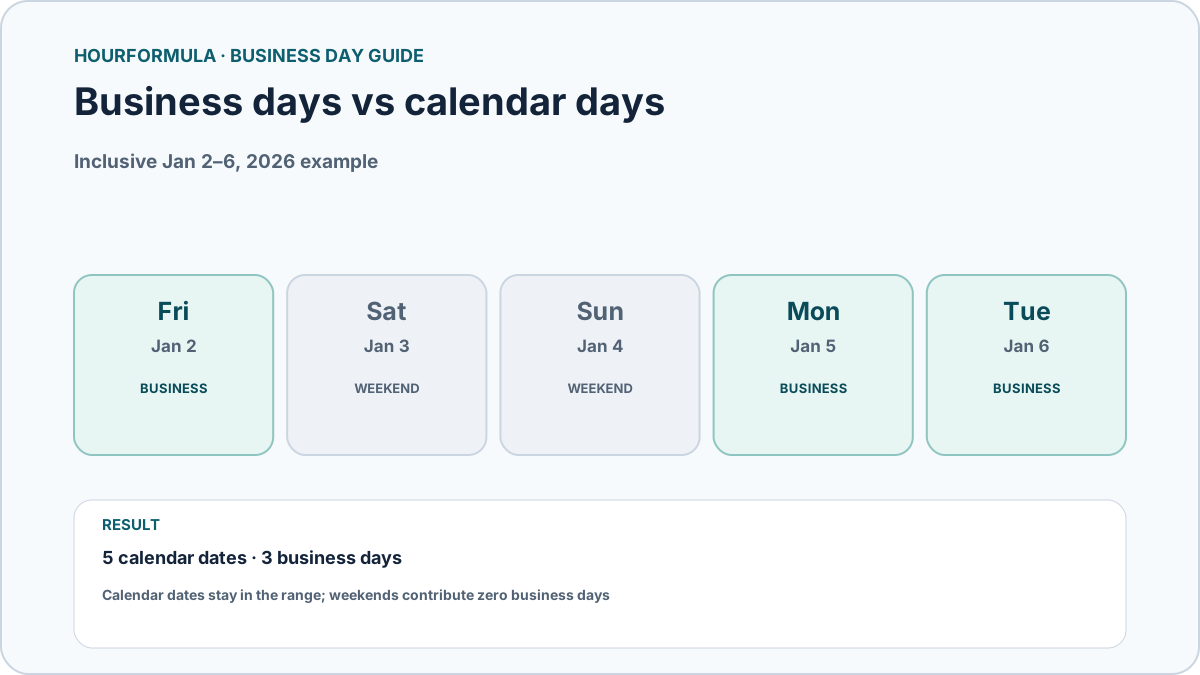
Consider the inclusive date range from Friday, January 2, 2026 through Tuesday, January 6, 2026.
| Date | Day | Calendar date in range? | Business day? |
|---|---|---|---|
| Jan 2, 2026 | Friday | Yes | Yes |
| Jan 3, 2026 | Saturday | Yes | No |
| Jan 4, 2026 | Sunday | Yes | No |
| Jan 5, 2026 | Monday | Yes | Yes |
| Jan 6, 2026 | Tuesday | Yes | Yes |
The inclusive range contains 5 calendar dates and 3 business days under Hourformula's default model.
Endpoint rules matter
The phrase “days between dates” can be ambiguous unless you specify whether the endpoints count.
In Hourformula's Business Days Calculator, the checked Include start and end dates option counts eligible endpoints.
For the Friday-to-Tuesday example, the inclusive business-day result is 3: Friday, Monday, and Tuesday.
If the option is unchecked, both endpoints are excluded. Only the dates strictly between Friday and Tuesday remain; among Saturday, Sunday, and Monday, only Monday counts, so the result is 1 business day.
Elapsed calendar difference is another convention
A date subtraction may also describe elapsed calendar days rather than the number of calendar dates included in a range.
For example, January 2 to January 6 has four 24-hour date transitions, but five calendar dates when both endpoints are listed.
That is why a result should always state whether it is counting included dates, elapsed days, or business days.
Holidays can change business-day results
Weekends are predictable from the calendar, but holidays and closures depend on the relevant schedule.
If Monday, January 5 is manually excluded in the inclusive Friday-to-Tuesday example, the Hourformula business-day count falls from 3 to 2.
The five calendar dates in the range do not change; only the business-day filter changes.
Which count should you use?
Use calendar days when every date matters regardless of weekday.
Use business days when the task specifically follows a weekday-based operating schedule.
If the task depends on a bank, court, government office, carrier, employer, contract, or other external system, verify its actual definition of a business day before using the result.
Common mistakes
- assuming “between” always includes both endpoints;
- treating weekends as business days without checking the intended calendar;
- assuming a weekday holiday is automatically excluded;
- mixing elapsed calendar days with the number of calendar dates listed;
- using a generic Monday–Friday result when a specific external calendar controls the deadline.