
Business Days and Holidays
A weekday is not always a working or business day in a real-world schedule. Holidays, closures, and organization-specific non-working dates can remove an otherwise eligible Monday-through-Friday date.
Hourformula does not automatically guess those dates.
Where a business-day calculator supports excluded dates, enter the relevant dates manually.
Adjusted business days = eligible Monday–Friday dates − manually excluded eligible dates
 View larger image
Why Hourformula does not use one built-in holiday calendar
Holiday calendars vary by country, region, organization, year, industry, and purpose.
A date that closes one office may remain a normal operating day for another.
Using one automatic holiday list would therefore create false certainty for many users. Hourformula keeps the weekday arithmetic explicit and lets supported tools accept manual exclusions.
How manual exclusions work
The Business Days Calculator, Add Business Days Calculator, and Subtract Business Days Calculator accept comma-separated excluded dates.
If an excluded date is an otherwise eligible weekday, the calculator skips it.
If an excluded date falls on Saturday or Sunday, the result does not change because that date was already skipped.
Example: business days between dates with a holiday
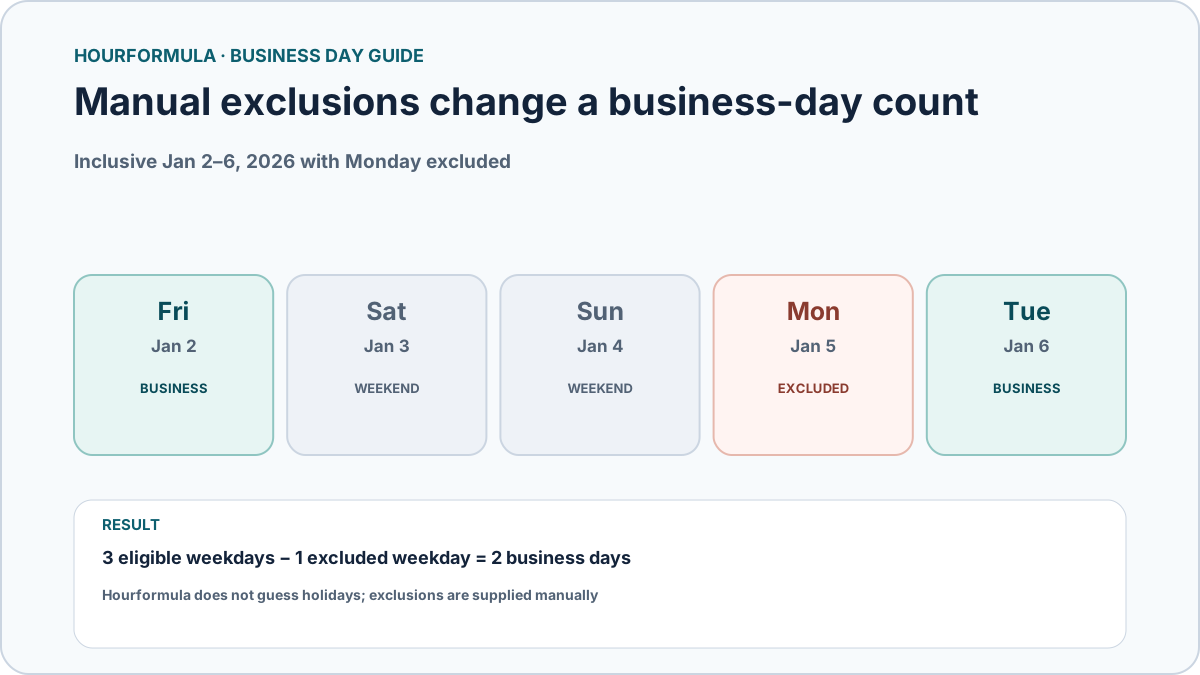
Consider Friday, January 2, 2026 through Tuesday, January 6, 2026 with both endpoints included.
Eligible weekdays without exclusions are Friday, Monday, and Tuesday:
3 business days
Now manually exclude Monday, January 5:
3 − 1 excluded weekday = 2 business days
Example: adding a business day around an exclusion
Start on Friday and add one business day.
Normally, Monday is the result.
If that Monday is manually excluded, the calculator continues to Tuesday.
Friday + 1 business day, Monday excluded = Tuesday
Month and year calculators behave differently
The Working Days in Month Calculator and Working Days in Year Calculator count Monday-through-Friday weekdays only.
They do not provide an excluded-dates field, so public holidays and closures are not removed from those totals.
Use those tools for calendar weekday counts, not for a jurisdiction-specific annual working-day schedule.
What dates should you exclude?
Exclude only dates that your actual use case says should not count.
Possible examples include a known office closure, a holiday in the relevant calendar, or another explicitly defined non-business weekday.
Hourformula cannot determine which exclusions are correct for your contract, workplace, bank, court, carrier, government process, or other external rule.
Common mistakes
- assuming every weekday is automatically a business day in every context;
- assuming Hourformula has already subtracted public holidays;
- entering a weekend exclusion and expecting the total to fall again;
- using month/year weekday totals as if they were holiday-adjusted work schedules;
- mixing holiday calendars from different jurisdictions or organizations.