
How to Subtract Business Days From a Date
To subtract business days from a date in Hourformula, move backward through the calendar and count only eligible Monday-through-Friday dates.
The starting date itself is not counted.
Result date = start date − requested number of eligible business days
Any manually excluded eligible dates are skipped as well.
 View larger image
The start date is not business day one
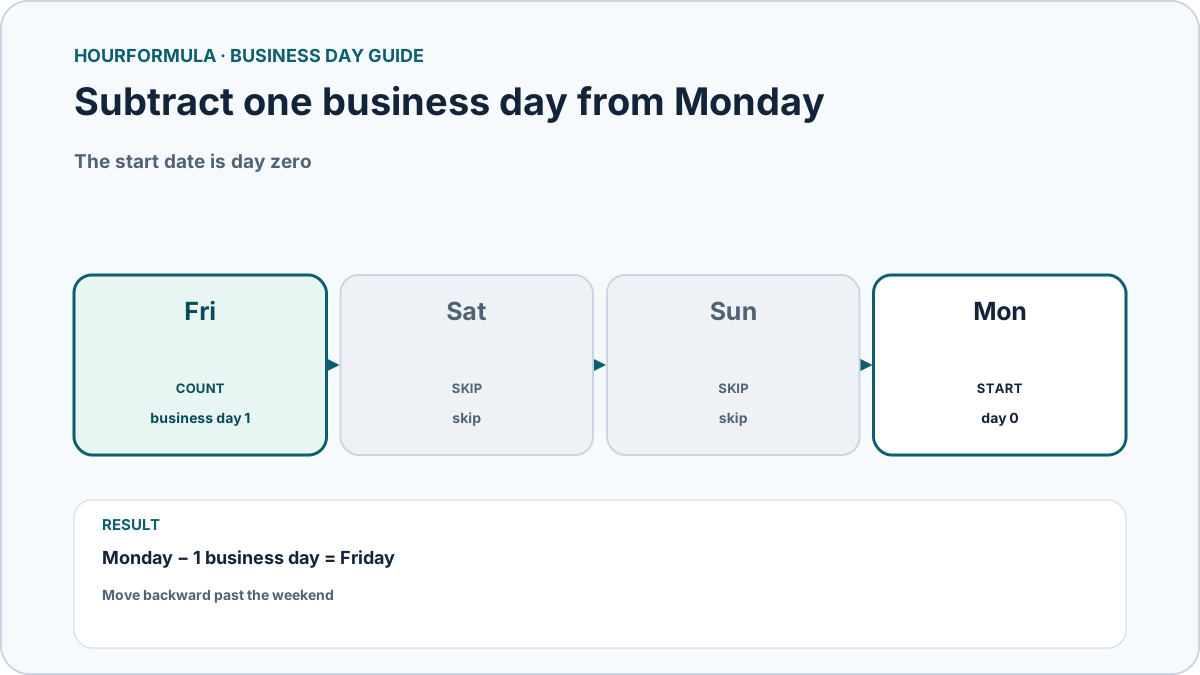
Suppose the starting date is Monday and you subtract one business day.
You move backward to Sunday and Saturday, skip both weekends, then count Friday.
Monday − 1 business day = Friday
Example: subtract three business days
Starting on Thursday with no exclusions:
- Wednesday: business day 1;
- Tuesday: business day 2;
- Monday: business day 3.
Result:
Thursday − 3 business days = Monday
Starting on a weekend
A weekend start does not count as an eligible business day.
For example, subtracting one business day from Sunday moves backward to Saturday, skips it, then counts Friday.
Sunday − 1 business day = Friday
Subtracting zero business days returns the original date unchanged.
Manual exclusions
An excluded weekday is skipped just like a weekend.
For example, if Friday is manually excluded, subtracting one business day from Monday continues past Friday to Thursday.
Monday − 1 business day, with Friday excluded = Thursday
An excluded Saturday or Sunday does not change the result because weekends already contribute zero.
Examples
| Start | Subtract | Exclusions | Result |
|---|---|---|---|
| Monday | 1 business day | None | Friday |
| Thursday | 3 business days | None | Monday |
| Sunday | 1 business day | None | Friday |
| Monday | 1 business day | Previous Friday | Thursday |
Check the calendar rule before using a deadline
Hourformula applies a repeatable Monday-through-Friday model and any manual exclusions you provide.
A real deadline may use a different holiday calendar, local rule, operating schedule, or definition of “business day.” Confirm those external rules separately when they matter.